
What Does Collate Mean When Printing?
If you’ve ever opened the print dialog on your computer, you’ve probably noticed a setting called Collate. Many people ignore it because they aren’t sure what it does. In reality, this small option can save time, reduce mistakes, and make organizing printed documents much easier.
Collate printing simply means that your printer prints each complete copy of a document in the correct page order before printing the next copy. Instead of grouping identical pages together, it produces fully assembled document sets that are ready to distribute immediately.
For example, imagine you want to print three copies of a five-page report.
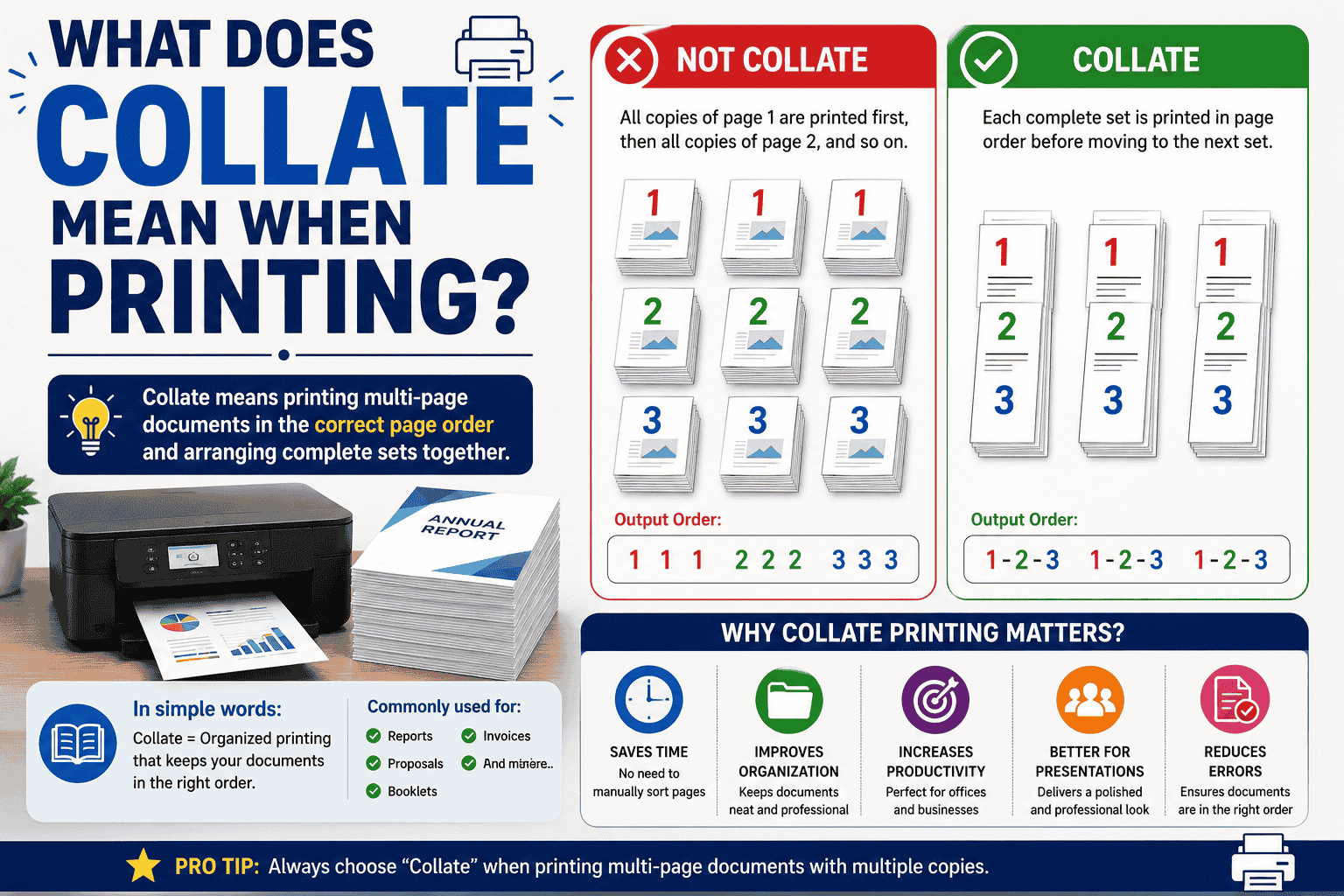
With Collate Enabled
Copy 1: 1 → 2 → 3 → 4 → 5
Copy 2: 1 → 2 → 3 → 4 → 5
Copy 3: 1 → 2 → 3 → 4 → 5
Without Collate
Page 1 → Page 1 → Page 1
Page 2 → Page 2 → Page 2
Page 3 → Page 3 → Page 3
Page 4 → Page 4 → Page 4
Page 5 → Page 5 → Page 5
This is why collated printing is preferred whenever you’re printing reports, manuals, catalogs, training materials, or booklets.
What Does “Collate” Actually Mean?
The word collate means to gather items and arrange them in the correct sequence.
In printing, it refers to automatically organizing document pages into complete sets so every copy comes out in reading order.
Instead of sorting pages by hand after printing, your printer does the work for you.
How Does Collated Printing Work?
When you print multiple copies, the printer can organize the pages in two different ways.
| Collated Printing | Uncollated Printing |
| Complete document sets | Pages grouped together |
| Ready to distribute | Manual sorting required |
| Best for reports and manuals | Best for bulk page processing |
When Should You Use Collated Printing?
Collated printing is ideal for:
- Business presentations
- Product catalogs
- Employee handbooks
- School assignments
- Training manuals
- Instruction booklets
- Legal documents
- Event programs
- Company reports
- Educational workbooks
When Should You Turn Collate Off?
There are situations where uncollated printing is actually better.
For example:
- Printing single-page flyers
- Mass printing worksheets
- Documents requiring manual stapling
- Batch processing
- Industrial printing workflows
Advantages of Collated Printing
Saves Time
No manual page sorting is required.
Improves Organization
Every printed copy is already complete.
Reduces Human Errors
Pages stay in the correct order.
Better for Large Print Jobs
Perfect for offices, schools, universities, and commercial printers.
Professional Presentation
Documents look organized and ready for immediate use.
Disadvantages
Although collated printing is useful, it isn’t always necessary.
Possible drawbacks include:
- Slightly slower for very large print jobs
- Unnecessary for one-page documents
- May require more printer memory on older devices
How to Enable Collate Printing
Most printers follow similar steps.
- Open your document.
- Click Print.
- Select the number of copies.
- Locate the Collate checkbox.
- Enable it.
- Click Print.
Does Every Printer Support Collation?
Most modern printers include automatic collation.
This includes:
- Laser printers
- Inkjet printers
- Office multifunction printers
- Commercial digital presses
Some older printers may rely on software rather than built-in hardware to perform collation.
Common Printing Projects That Need Collation
- Employee handbooks
- User manuals
- Product guides
- School books
- Reports
- Marketing booklets
- Conference materials
- Real estate brochures
- Training documents
- Business proposals
Collated vs Uncollated Printing: Quick Comparison
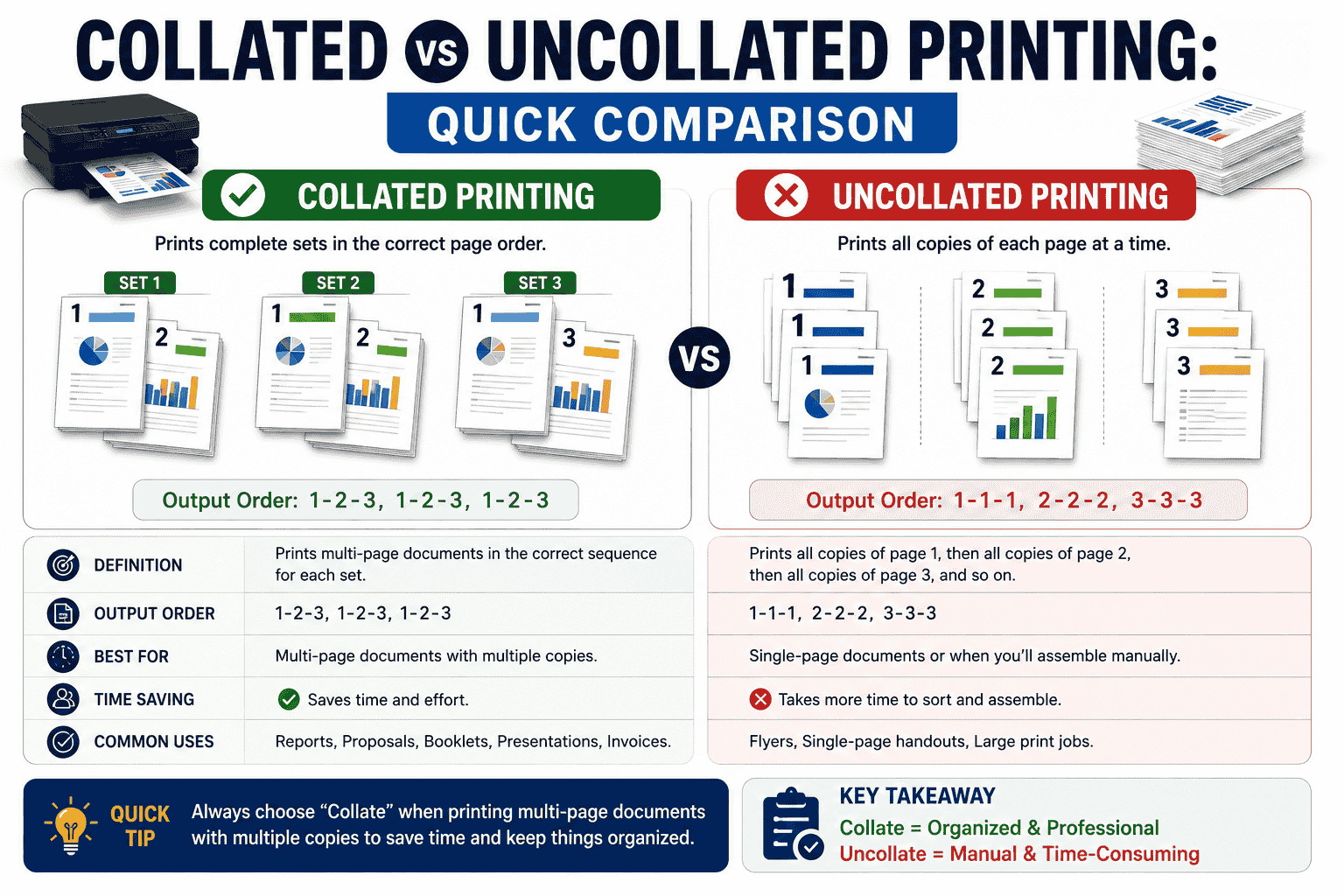
| Feature | Collated | Uncollated |
| Page Order | Correct | Grouped by page |
| Ready to Hand Out | Yes | No |
| Manual Sorting | No | Yes |
| Best For | Multi-page documents | Bulk page printing |
| Saves Time | Yes | No |
Common Mistakes People Make
Many users believe:
- Collate improves print quality
- Collate changes paper orientation
- Collate saves ink
- Collate changes color settings
In reality, it only affects the order in which pages are printed.
Final Thoughts
Collated printing is a simple feature that can make a significant difference whenever you’re printing multiple copies of a document. Instead of manually arranging pages after printing, the printer automatically delivers complete, organized sets that are ready for distribution. Whether you’re preparing reports, manuals, catalogs, or business presentations, using the Collate option helps improve efficiency, reduce errors, and create a more professional result.